Screenplay · Novel · Game
One home for every story you write.
Plan your story visually, then write it as a professional screenplay, novel or branching game, all inside the same story system.
Built for people who think in story, not software.
14 days free, no card needed · Mac & Windows · Works fully offline
Screenplay
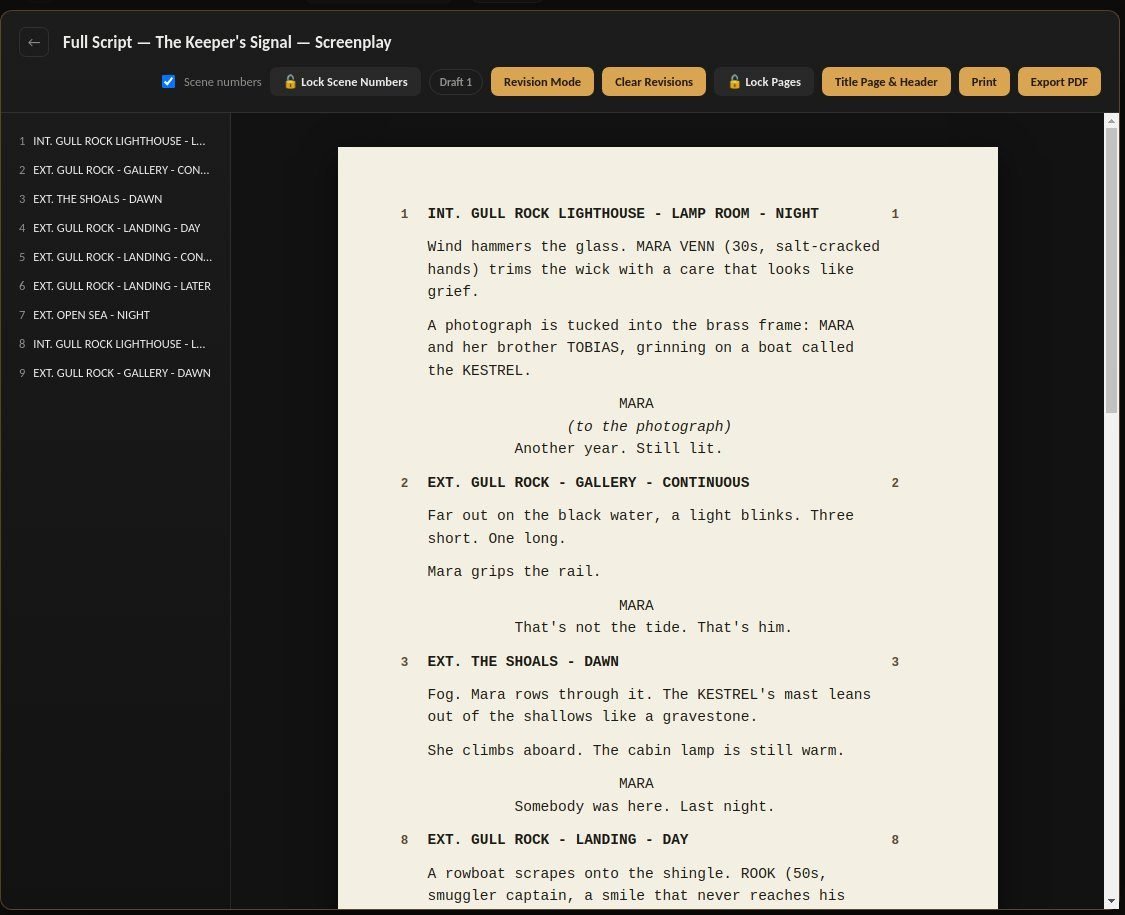
Write the script the industry wants to read
Professional screenplay formatting from first scene to final draft, ready to export and send.
Novel
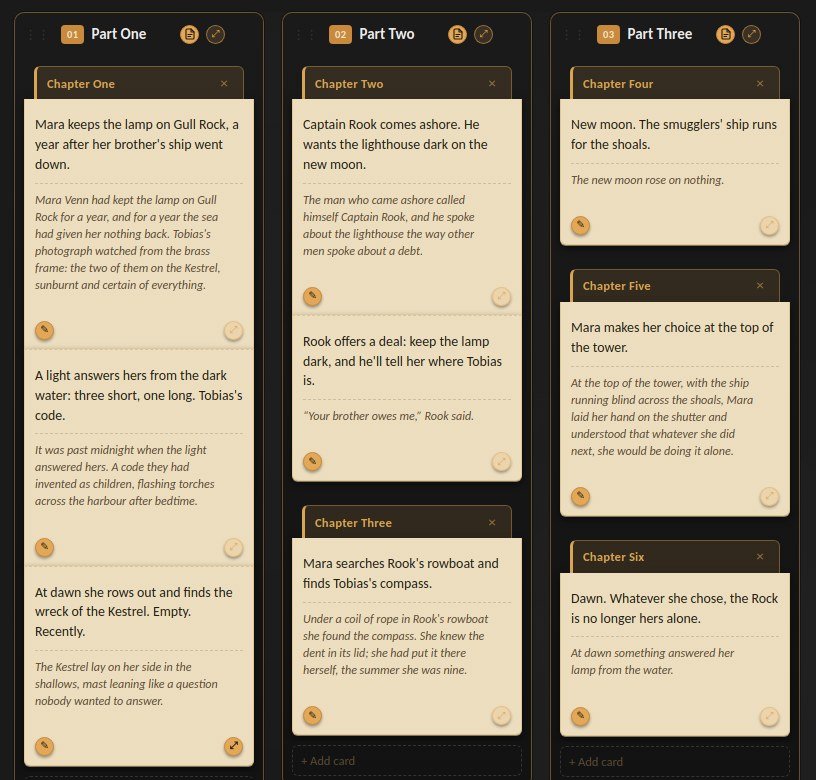
Get the book out of your head
See the shape of the whole story while you write the manuscript, chapter by chapter.
Game
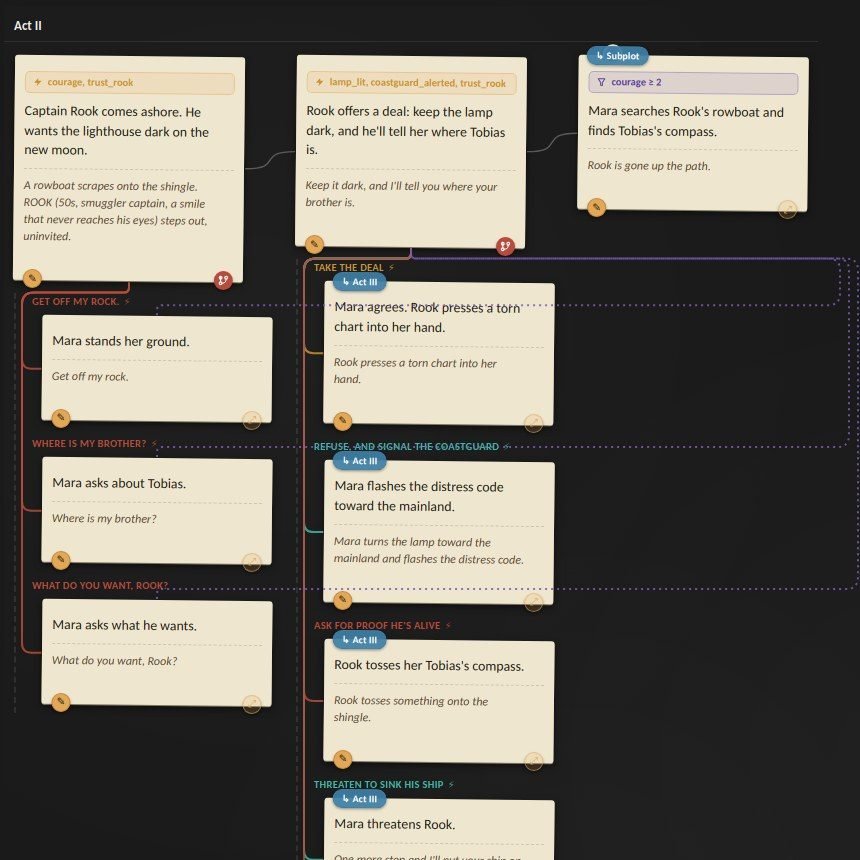
Make your story playable
Turn scenes into choices and choices into consequences, without having to become a programmer.
The method
Start where writers start: with the story.
Build it visually, see how every beat fits together, then open any scene and start writing.
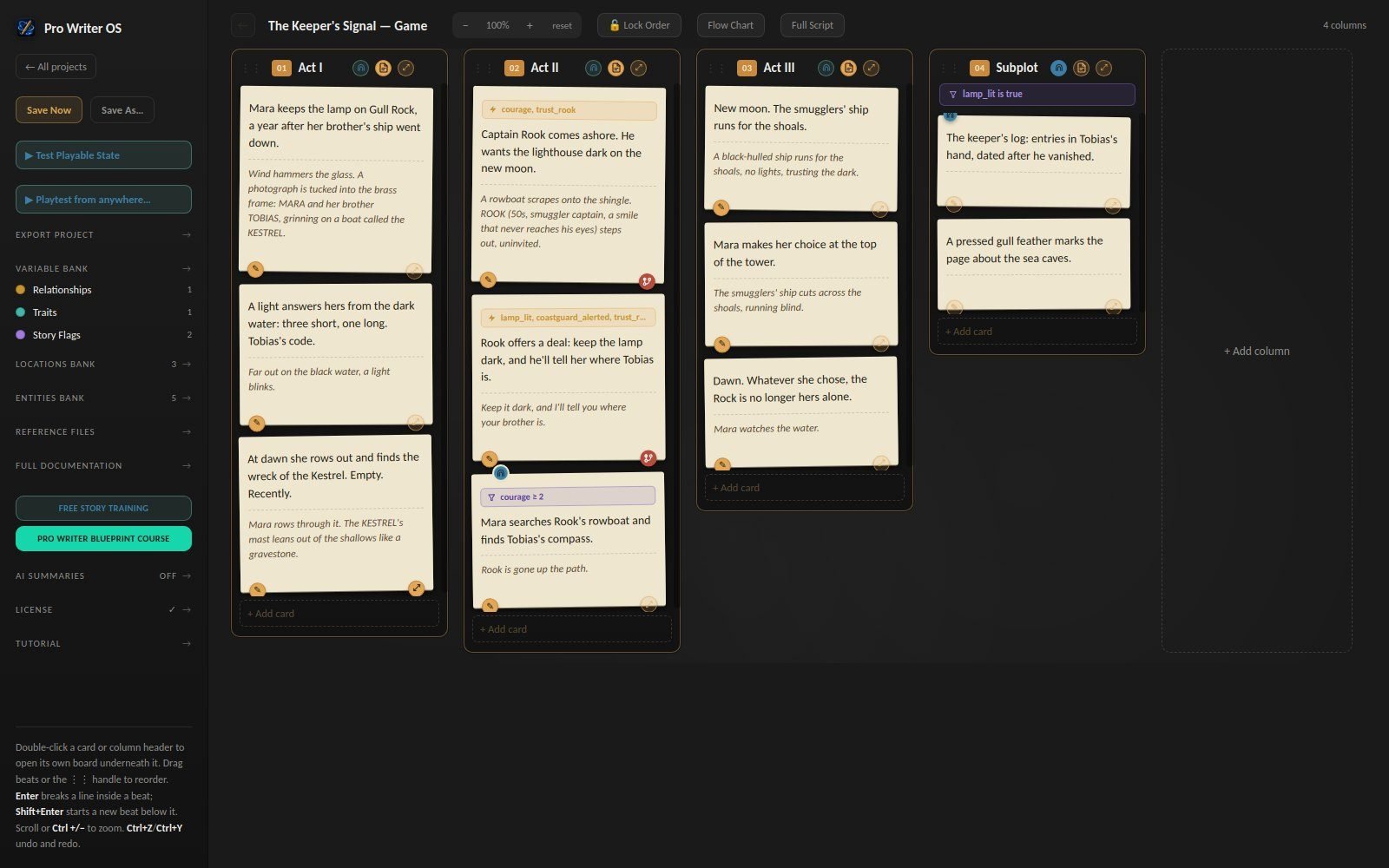
See the whole story before you disappear inside the pages.
01
See the whole story
Build it from beats to scenes to sequences, without losing sight of the shape of the whole.
02
Write straight from the plan
Open any scene and start writing. Your outline becomes the work itself, rather than a document you abandon.
03
Finish in the format you need
Take it all the way to a submission-ready screenplay, a finished manuscript or a playable game.
Change the story without losing the thread.
Move a beat. Rewrite a scene. Restructure an act. Your plan and your pages stay connected, so you always know where you are, and revision mode shows you exactly what changed.
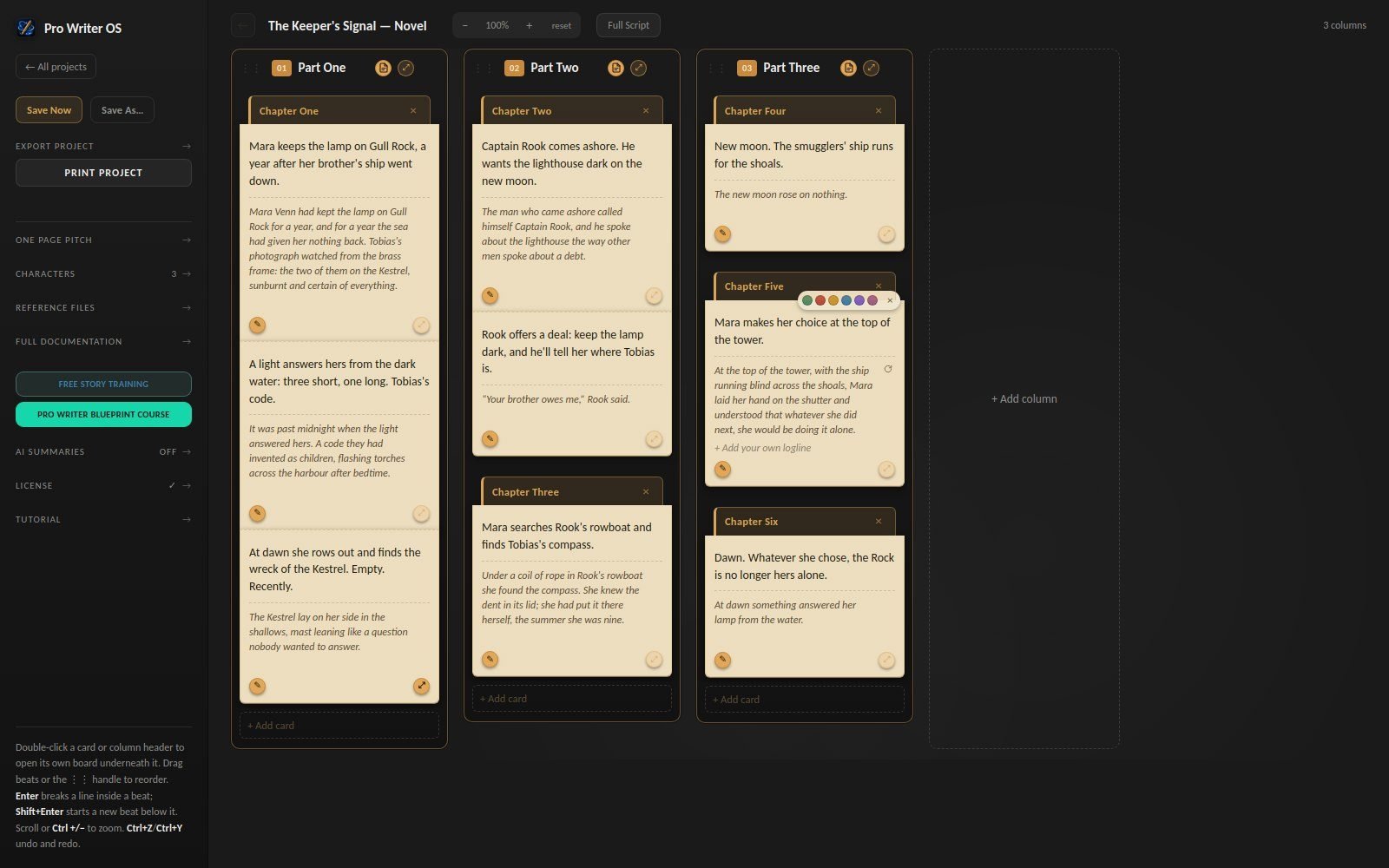
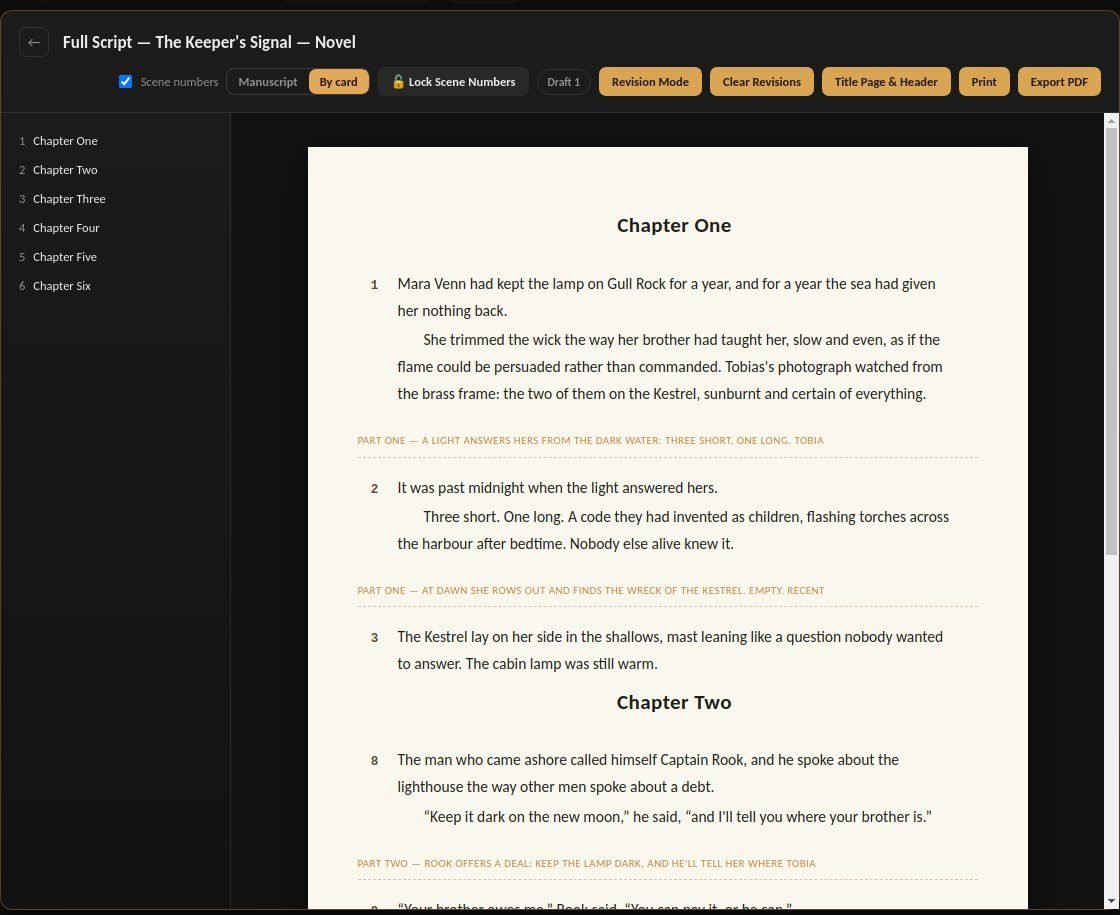
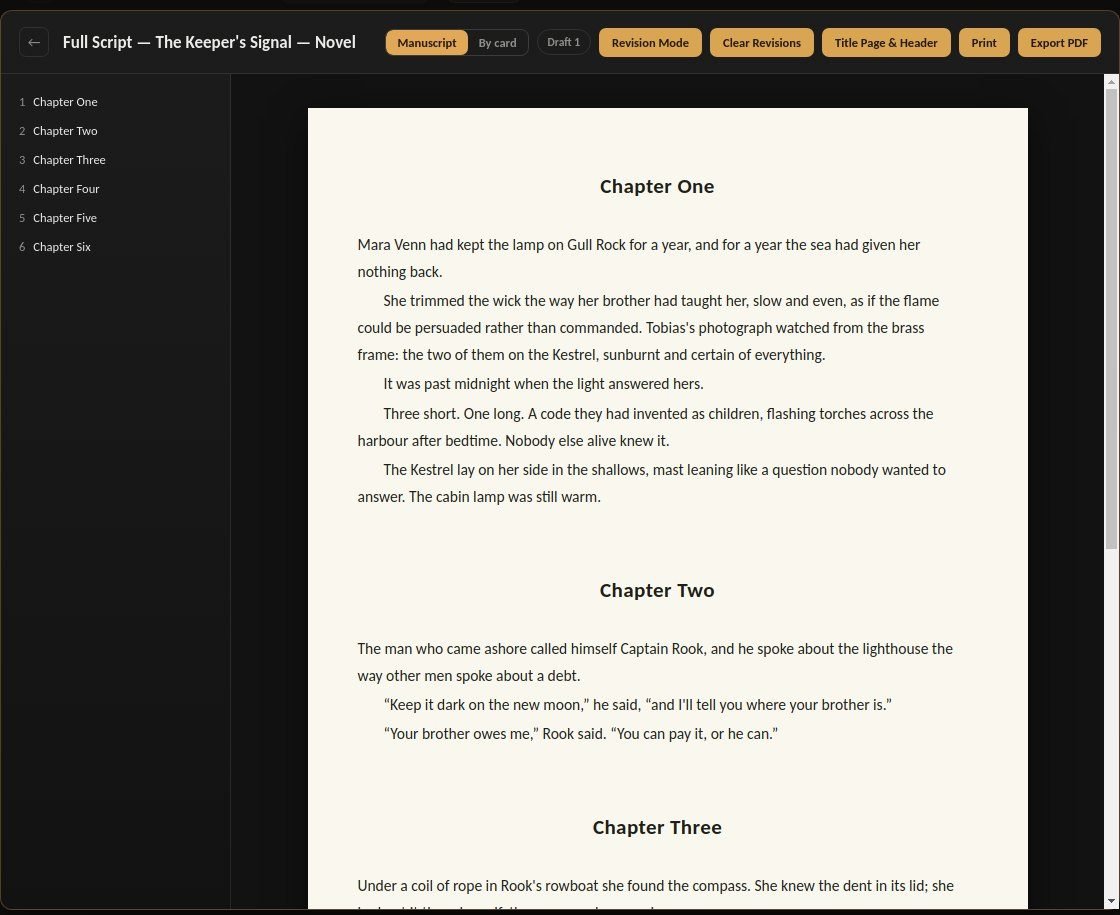
See Pro Writer OS in action
Watch a story go from first beat to finished page, then come alive as a game with real dialogue choices.
For screenwriters
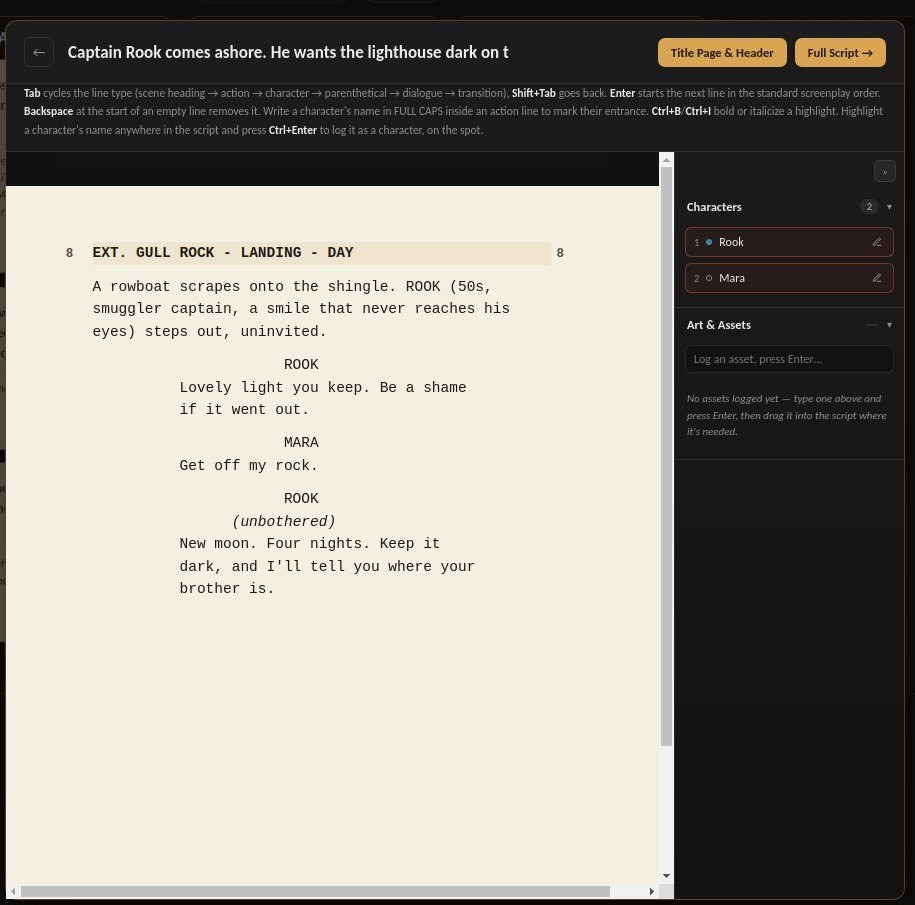
Write professionally formatted scripts without thinking about formatting.
- Just write. Every line falls into place, the way a script flows.
- Every scene grows from a beat on your board, so the structure never slips.
- Keep track of every location and character across the script.
- Pitch it with a one-page pitch built from your own story.
For novelists
Keep the shape of the book while you write the pages.
- Plan parts, chapters and scenes on your board, then write straight into them.
- Read it back as one clean, continuous manuscript whenever you like.
- Keep every character in one place, and log new ones as you write.
- Send it out in the manuscript format publishers expect.
For narrative designers
Write a game as easily as you’d write a script.
You don’t need to learn programming. You already know how to tell stories. Build choices and consequences out of the same scenes, characters and beats you already work with.
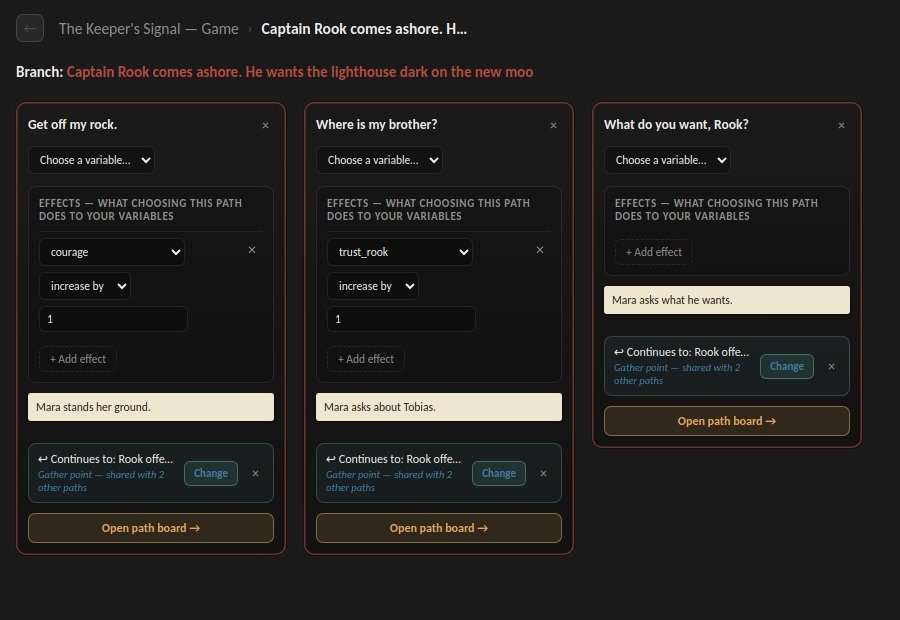
Write the choice.
Give your player something to say. Every reply becomes its own scene, written just like the rest of your script.
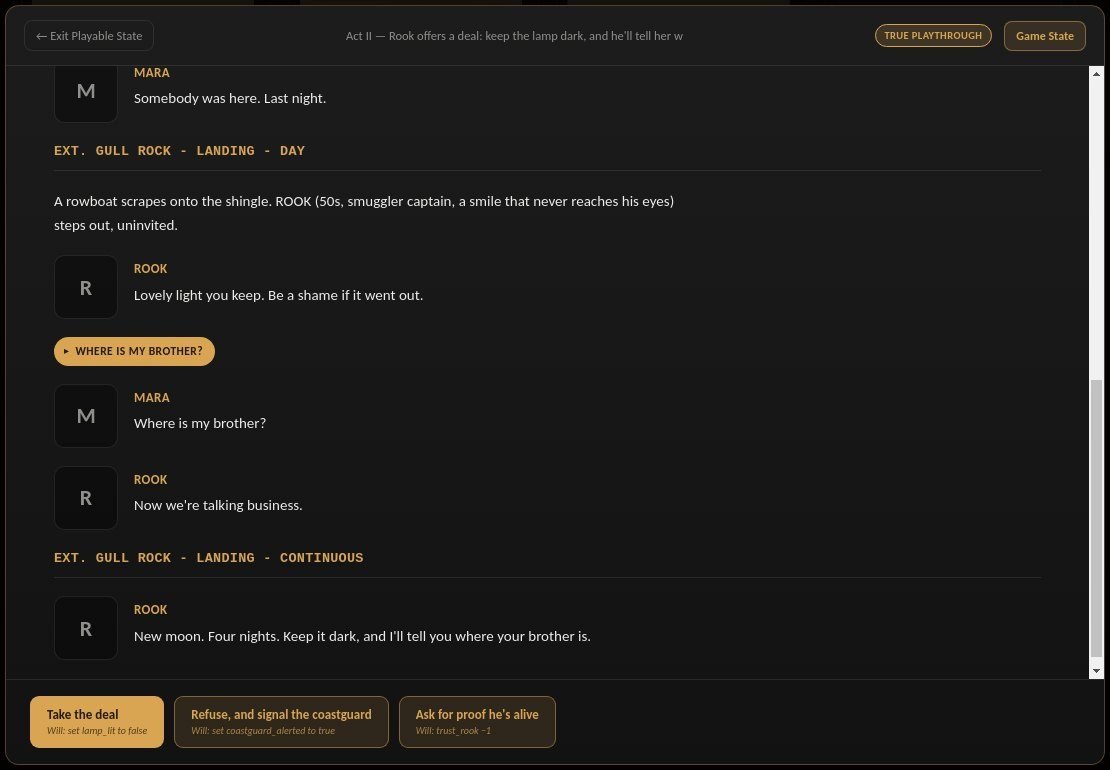
Decide what changes.
Trust, courage, loyalty, whatever your game runs on. Choices change it, and later options open or close because of it.
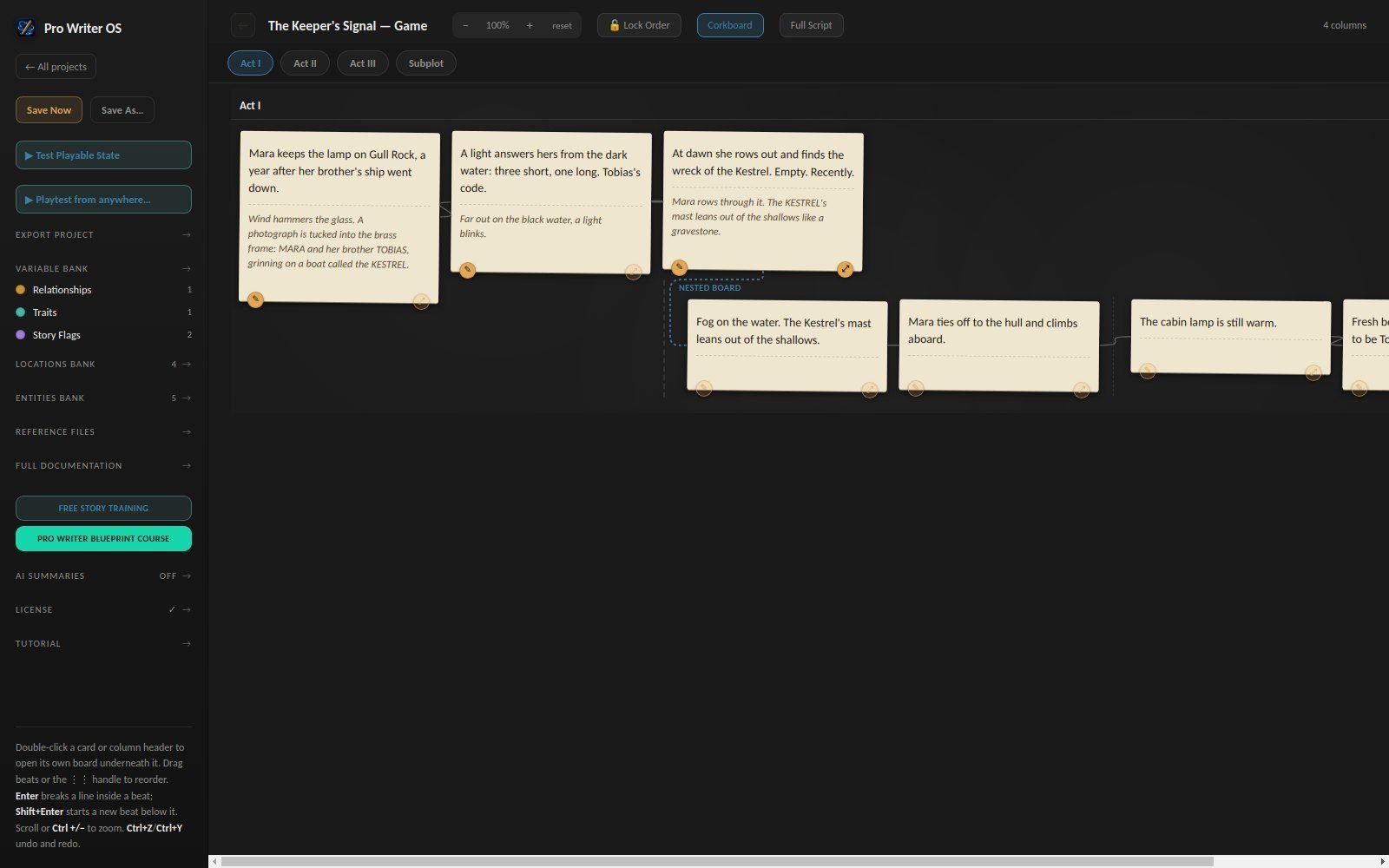
See where it leads.
Follow every branch on the flow chart, then play the story yourself, choices and all, before anyone else does.
Under the hood
- Conditions and effects on every branch
- A Variable Bank that autocompletes everywhere
- Playtest from any point, with any game state
- Subplots that unlock when their conditions are met
- Characters, items and locations with custom fields
- Export to Ink, Articy-style JSON, Unity and Unreal data
The professional details, already done.
Your work looks professional before anyone reads the first line.
- Industry-standard screenplay formatting
- Correct pagination, scene numbering and title pages
- Production-ready tools: revision colours, locked pages and scene numbers, draft comparison
- Manuscripts in the fonts and layout publishers expect
- Export to PDF and Word
- Export to .fdx when you need it, and import your existing Final Draft, Word, Ink and Articy work
Why not just use Final Draft, Word or Trello?
You can. But then your project lives in different places. Pro Writer OS keeps your planning and writing together – and connected – for every kind of story you tell.
Your ideas and output are yours alone.
Pro Writer OS works entirely offline. There are no accounts and no servers, so your drafts are never uploaded anywhere or used to train anyone’s AI. Every project is plain files in a folder you choose. Optional AI loglines only switch on if you add your own key.
Meet the founder
Made by a professional storyteller.

Pro Writer OS is created by Billy Cook, a television drama story producer with hundreds of hours developing high-end TV drama for major broadcasters and 40 hours of prime-time production credits on acclaimed, award-winning shows.
His credits include BBC One’s international sensation POLDARK, Sir Christopher Hampton’s THE SINGAPORE GRIP for ITV, and the reinvention of SILENT WITNESS as a serial thriller for its silver anniversary on BBC One.
Pro Writer OS is the software he refined and wished he’d had on the industry’s front lines, built so every writer can easily grow each of their stories into a masterpiece, in whatever medium they want.
Try everything free for 14 days
Full editing from the first minute, no card needed. When you’re ready, buy once and keep it. Your work carries straight over.
Free trial
£0
14 days of full editing, no card needed. Afterwards, every project stays open and readable, and you can still export it.
Pay once. Keep it.
£89£39
Founder price, for a limited time
No subscription and no monthly fee. Screenplays, novels and games, every feature, and a licence that’s yours to keep.
14-day money-back guarantee
1. Buy securely
Pay by card through Stripe. No account needed.
2. Get your licence
Your licence code arrives by email straight away.
3. Activate
Click Activate online in the app’s License screen, enter your code, and keep writing.
Questions
Do I need to be online?
No. Pro Writer OS runs entirely offline. The only thing that ever connects is the optional AI loglines, and only if you add your own key.
What happens when the trial ends?
Nothing is lost. Every project stays open to read and export. Activate a licence whenever you’re ready to keep writing.
Can I turn a screenplay project into a novel or a game?
No. You choose the type when you start a project. What carries over is the creative approach: the boards, the shortcuts and the method are the same in all three.
Can I bring in my existing work?
Yes. Import a Final Draft script, a Word manuscript, or an Ink or Articy project, and keep going from where you left off.